Create a Reset switch
Interacting with a Reset switch hides every visible object in the target VRCObjectPool components.
Setup
- Prepare a
ReturnObjectby following the same process described in Create a Return trigger - In
Pools, register everyVRCObjectPoolthat manages objects you want to hide at once, or a GameObject containing multiple childVRCObjectPoolcomponents - Add a GameObject for the Reset switch to the Hierarchy
- Add a Collider for Interact detection
- Add the
ResetSwitchcomponent - Assign the
ReturnObjectcreated in step 1 toAll Reseter
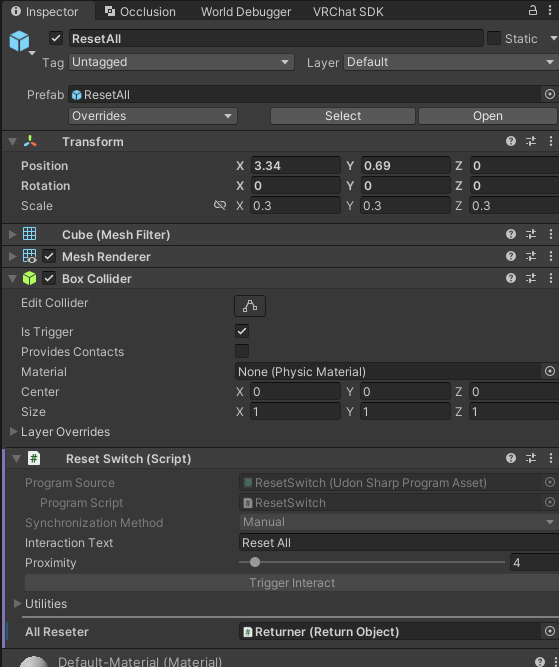
ReturnObject dedicated to ResetA ReturnObject used only by a Reset switch does not need a Collider for a Return trigger.
Test the switch
- Spawn multiple objects
- Interact with the Reset switch
- Confirm that all target objects become hidden
If any object remains visible, check the Pools and Reference settings on the ReturnObject assigned to All Reseter.
See ResetSwitch settings for details about each field.
The basic setup is now complete.